
Find your crew on udansa
Here you can find like-minded people for your next crew, suitable dance courses in your area, and the latest events in the K-Pop community.


By Bernhard De LucaUpdated
Here you can find like-minded people for your next crew, suitable dance courses in your area, and the latest events in the K-Pop community.
The dance is perfect, the video is in the can, but your cover only comes to life on the PC. With the right editing techniques and effects, you turn raw footage into a captivating K-Pop experience.
A K-Pop dance cover thrives on its visual dynamics, which only unfold their full effect in post-production. While filming on location captures the raw movements, the editing table determines whether your video conveys the typical, energetic aesthetic of the original music videos. It is not just about stringing different camera angles together, but about matching the cuts exactly to the beat and emphasizing the highlights of the choreography through targeted effects. A well-structured K-Pop styling and video production concept forms the foundation upon which you can build with the right software.
To edit a K-Pop dance video professionally, you do not need to own a Hollywood studio. Modern, often free programs offer all the tools necessary for precise cuts, color adjustments, and dynamic transitions. The focus is on supporting the energy of the dancers without distracting from the actual dance. With the right approach, you synchronize the audio track with millimeter precision and set visual accents exactly where the choreography reaches its peak.
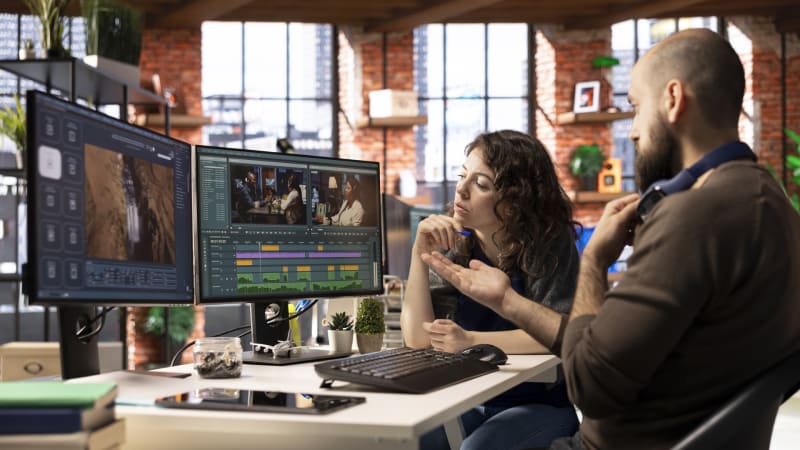
Import your raw filmed footage and the original K-Pop audio file into your editing software. Stack the video tracks on top of each other and align them so that the movements match the beat of the original audio track exactly, before you mute the camera audio.
Review your footage and cut at the points where the dynamics of the song change. Use close-ups for emotional passages or facial expressions and the medium shot to perfectly show the entire choreography and formations.
Add minimal, digital camera movements and zooms to mirror the energy of the choreography. A slight zoom on the bass beat or a gentle pan with the movement of the dancers makes the video look extremely professional.
Adjust the colors of your video to achieve the typical, clean, and high-contrast K-Pop look. Make sure that the skin tones remain natural, while the colors of the outfits and the background shine vividly.
Export your finished work in high resolution, ideally in 4K or 1080p with a high bitrate. Play the video through once completely before uploading to ensure that the audio and image have remained perfectly in sync.
That's how it's done
Not like this
Preparation
During
Completion
DaVinci Resolve is excellent for getting started, as its free version already offers professional tools for color grading and effects. Alternatively, CapCut is very popular for quick cuts, or Adobe Premiere Pro for more advanced projects.
Look for a prominent peak in the audio track, such as a loud clap or the first bass beat. Align the original audio exactly with this point on the video's audio track and then mute the camera audio once everything is running in perfect sync.
Less is more. Use subtle artificial camera zooms for key moves, soft light effects for transitions, and a cohesive color grade that emphasizes the K-Pop look without obscuring the dancers' movements.
Learn the latest choreographies and bring your performance straight to the dance floor.
Hip HopOranienburg OT Lehnitz · Germany
Hip Hop 6-8 J.Monday · 18:00 · Oct 19
Kulturhaus Friedrich-Wolf
StreetdanceBurgstädt · Germany
Videoclip Teens 11-13 JahreMonday · 16:50 · Oct 26
Burgstädt
Hip HopOranienburg OT Lehnitz · Germany
Hip Hop ab 9 J.Monday · 19:45 · Oct 19
Kulturhaus Friedrich-Wolf
 K-Pop Styling and Video Production: The Guide for Cover DancesLearn how to bring your cover video to a YouTube level with the right K-Pop dance outfit, professional makeup, and dynamic camera work.
 Finding the perfect K-Pop cover location: The guideFind the perfect setting for your K-Pop dance cover. Learn how to make the most of lighting, backgrounds, and locations for your video.
 K-Pop Cover Styling Analysis: The Visual GuideA detailed K-Pop cover styling analysis shows you how to recreate your idols' outfits for the stage and perfectly coordinate them for your video production.
 Styling K-Pop outfits on a budget: Your creative guideWant to create authentic K-Pop dance outfits without breaking the bank? Learn how to style stage-ready looks using second-hand fashion and simple DIY hacks.
 Filming K-Pop dance videos in public: Legal aspectsIf you want to film K-Pop cover videos in public, you need to follow legal rules. Our guide covers everything you need to know about permits and image rights.
 Styling K-Pop dance hairstyles for your cover: The hold guideLearn how to style K-Pop dance hairstyles that survive even the most intense choreography. With these pro tips, your hair will look perfect in your cover video.
 K-Pop Group Outfit Styling: Coordinating HarmoniouslyLearn how to perfectly coordinate the colors and styles of your K-Pop cover group outfits without losing the individuality of the dancers.